
Introduction
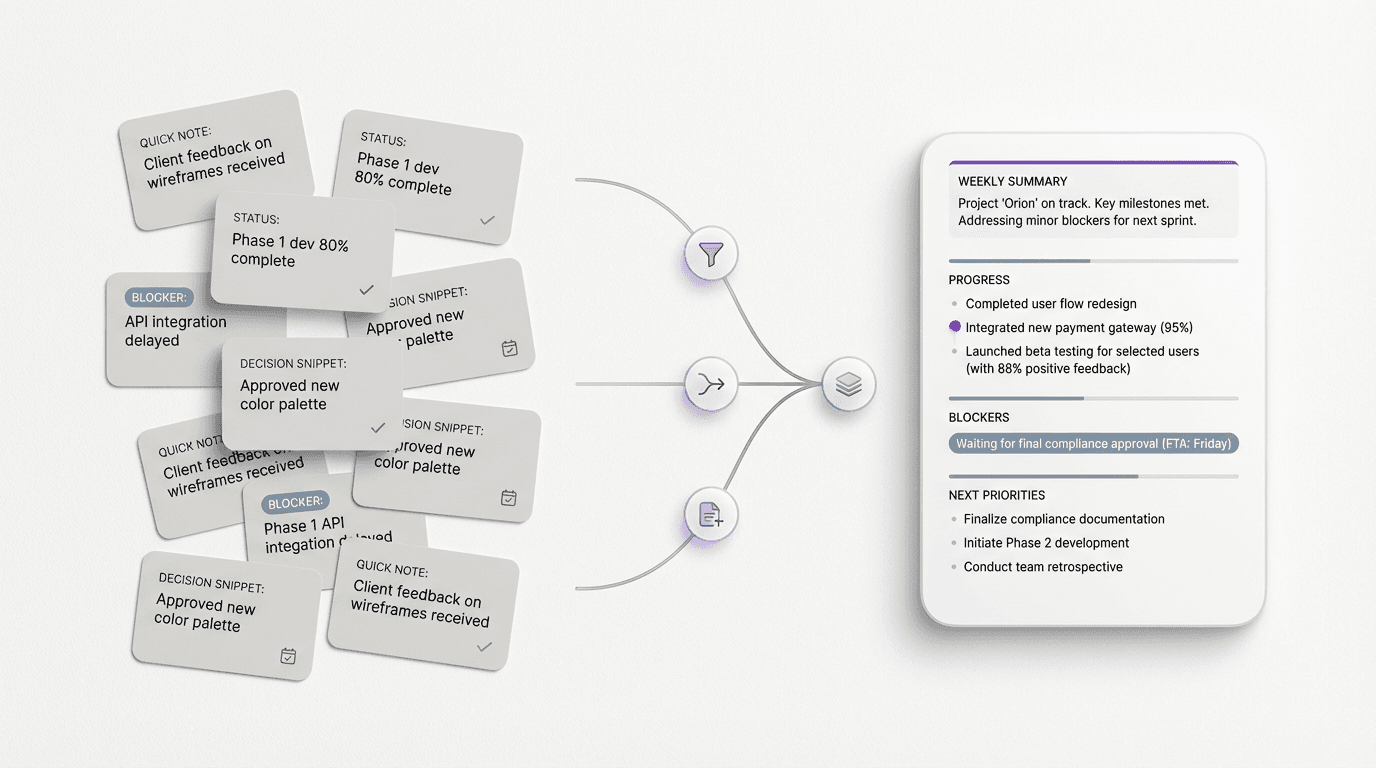
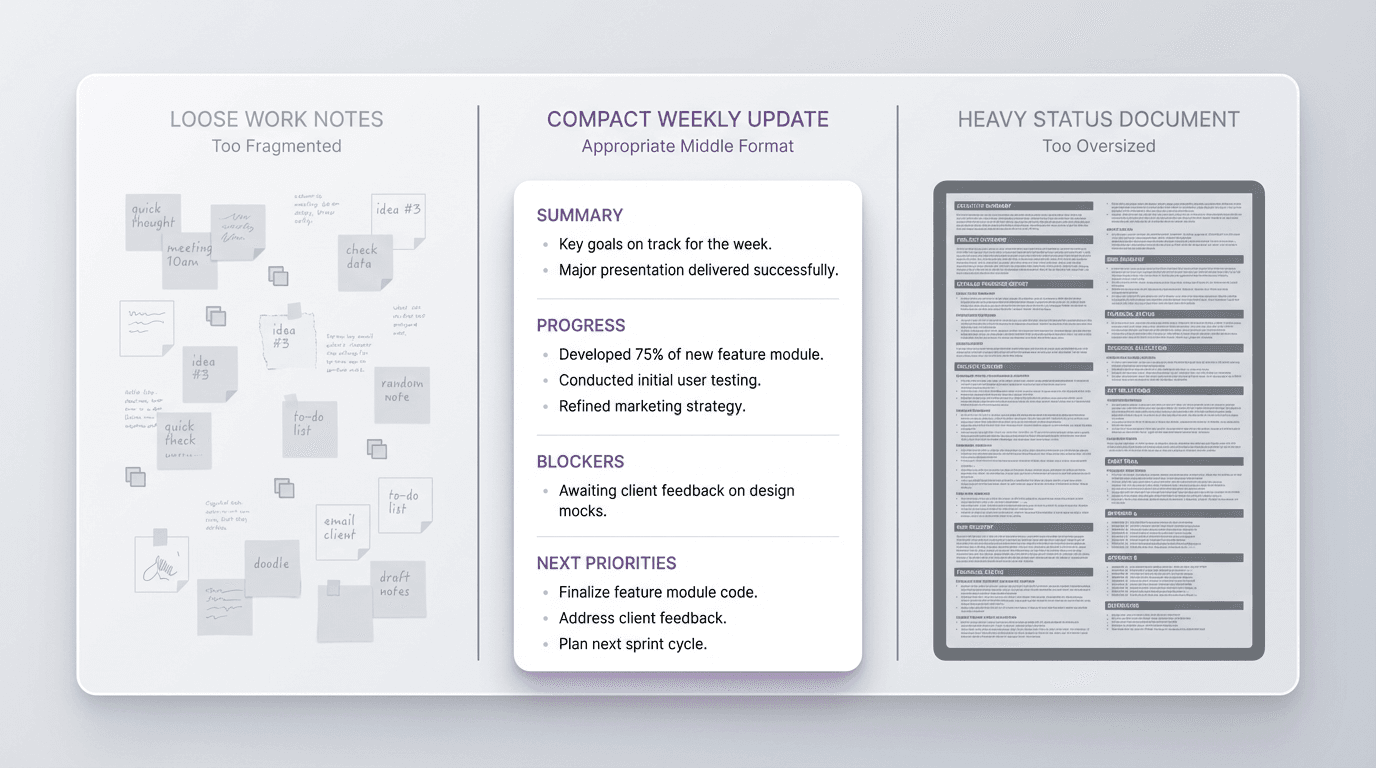
Light tools leave the material too fragmented. Heavy tools make a short update feel disproportionate. A few bullet points may be too loose to share upward or across teams. A bigger document often asks for more polish and framing than the situation really needs.
A useful weekly update template for work gives that middle state a better format.
It helps the update become clear, readable, and finished enough to use without turning a small recurring task into a full writing project.
FormaLM fills that middle ground, moving scattered notes into a compact update without expanding the task into a full writing project.
A weekly update template for work should fit the missing middle
People often assume there are only two options for weekly work communication.
Either keep rough notes for yourself, or write a more complete recap for everyone else.
That split is too narrow.
A strong weekly update gives another person enough detail to understand the work without turning the update into a second project.
It should help the writer answer a small set of practical questions:
- What moved this week?
- What matters now?
- What changed?
- What is blocked?
- What needs attention next?
If the update answers those clearly, it becomes useful. If not, the team ends up with either too little signal or too much document weight.
What a useful weekly update template for work should include
A practical weekly update template for work is usually built from a compact set of sections:
- week or date range
- short summary
- progress or completed work
- changes or decisions
- blockers or risks
- next priorities
Some teams may also want an asks section, links, or owner notes. But the core structure should stay light.
The update needs to show movement.
The template should give the update enough shape to travel well without making it feel like a formal report. It should be easy to fill, easy to scan, and easy to return to later if someone needs the current state quickly.
A reusable weekly update template for work
Here is a practical weekly update template for work:
Week
What period this update covers.
Summary
One or two sentences explaining the current state of the work.
Progress
What moved forward this week.
Changes or decisions
What changed, became clearer, or got decided.
Blockers or risks
What could slow progress or needs attention.
Next priorities
What should happen next.
This works because it creates a readable middle format. It is more usable than loose notes and lighter than a full report.
A filled example of a work update
The template becomes easier to use when the finished version is visible.
Imagine a product marketing lead sending a weekly update on launch preparation.
Week
April 1 to April 5
Summary
Launch prep moved forward on schedule, with copy and support materials nearly complete and one approval still open.
Progress
- Finalized homepage draft
- Completed launch email first pass
- Shared help center revision with support
Changes or decisions
- Launch messaging now leads with workflow clarity instead of feature breadth
- The support article will ship in a shorter first version
- Review order changed so product signs off before design polish
Blockers or risks
- Final approval is still pending on two screenshots
- Legal review may push one onboarding line into next week
Next priorities
- Close screenshot approval
- Finalize email copy
- Prepare launch-day handoff note
Its small size is part of why it works.
The update is finished enough to share, but still light enough to produce consistently.
Why weekly work updates often end up too light or too heavy
The workflow problem appears between those two states.
If the update stays too light, it looks like residue. The reader gets fragments, but not a clear state of the work. If it becomes too heavy, the writer spends more time staging and polishing the update than the update is worth.
The missing middle is a compact completion step.
Much of work communication needs more than notes but less than a formal document. Teams often force it into one extreme or the other, which makes a small weekly update feel inefficient.
The better solution is not always more detail.
Often it is a better boundary.
Keep the update readable enough to send every week
A weekly update only works if it can survive repetition.
That means the format has to stay readable enough that the writer does not avoid it and the reader does not skim past it without absorbing anything useful.
A good weekly update template for work usually does three things well:
- it limits how much context needs to be rebuilt
- it separates signal from residue
- it makes the update easier to finish
Those are small gains, but together they matter. They make the document easier to complete and easier to reopen.
FormaLM provides more structure than stray notes with less overhead than a full writing environment.
Build the update from weekly fragments, then finish it cleanly
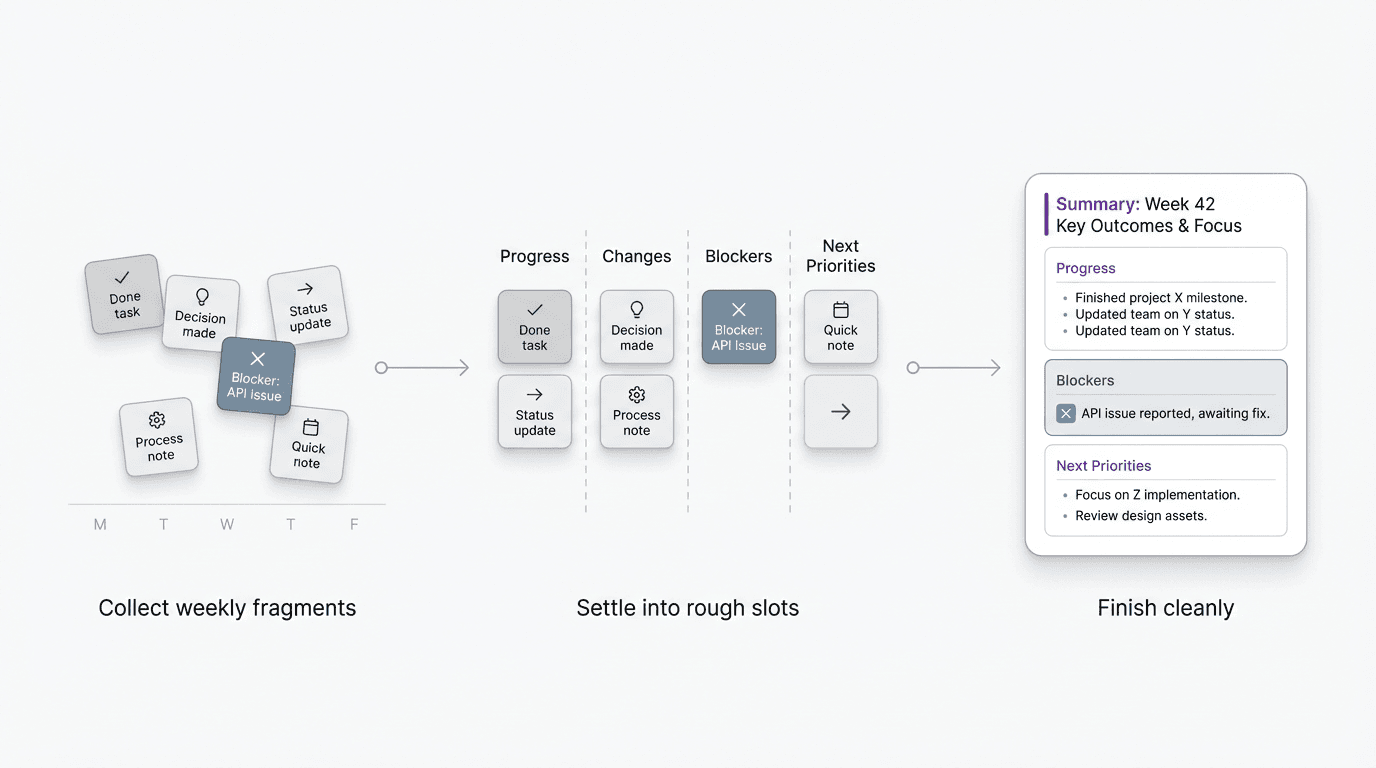
Most work updates are easier when the material accumulates before the writing session.
Small progress notes, decisions, blockers, and next priorities often appear during the week in scattered moments. The problem is not capture. The problem is finishing.
A practical workflow has two phases:
- collect fragments in the rough slots they will eventually belong to
- tighten them into one clear weekly update at the end
This keeps the task lighter. You are not inventing the update from zero on Friday. You are finishing a format that has already started forming.
FormaLM helps those fragments become complete enough to send.
A weekly update is not the same as a recap or a status report
This distinction helps.
A recap often looks backward. A status report can become broader and more formal. A weekly update for work usually needs to do something narrower: keep another person aligned on the current state of the work without requiring a full report.
Keep the weekly update compact, current, and directional.
It should say what moved, what changed, what is stuck, and what matters next. Many working relationships need no more than that, especially between managers and reports, cross-functional teammates, or small project groups.
The more clearly the format owns that role, the better it performs.
When a shorter weekly update template is the better choice
Sometimes the best weekly update is a lighter one.
A shorter format works especially well when:
- the audience already knows the context
- the update is mainly for continuity
- the work is moving in a stable direction
- the main need is clarity, not full explanation
In those cases, a shorter version can work well:
For a familiar audience, that may be enough. The update only needs to be complete for its real reader.
A weekly update template for work helps most when it reduces friction without reducing clarity
A useful weekly update format respects its middle state: enough structure to feel finished, enough clarity to support the reader, and enough restraint to remain sustainable.
FormaLM helps content leave its rough state without imposing the weight of a larger writing workflow.