
Introduction
A message you meant to mention on Tuesday. A decision from Wednesday's call. A small win from Thursday that felt too minor to write down at the time. Then Friday arrives and the task is suddenly to turn all of that into one clean update.
That is why a weekly recap template matters.
The real problem is not writing ability. It is repeated reconstruction. Without a stable format, the same weekly task keeps starting from zero. You are not only summarizing the week. You are deciding what belongs, what order it should take, how much detail to include, and how to make the update feel complete without becoming heavy.
A useful weekly recap template reduces that drag. It gives recurring recap work a reusable shape, so the weekly task becomes lighter without becoming generic.
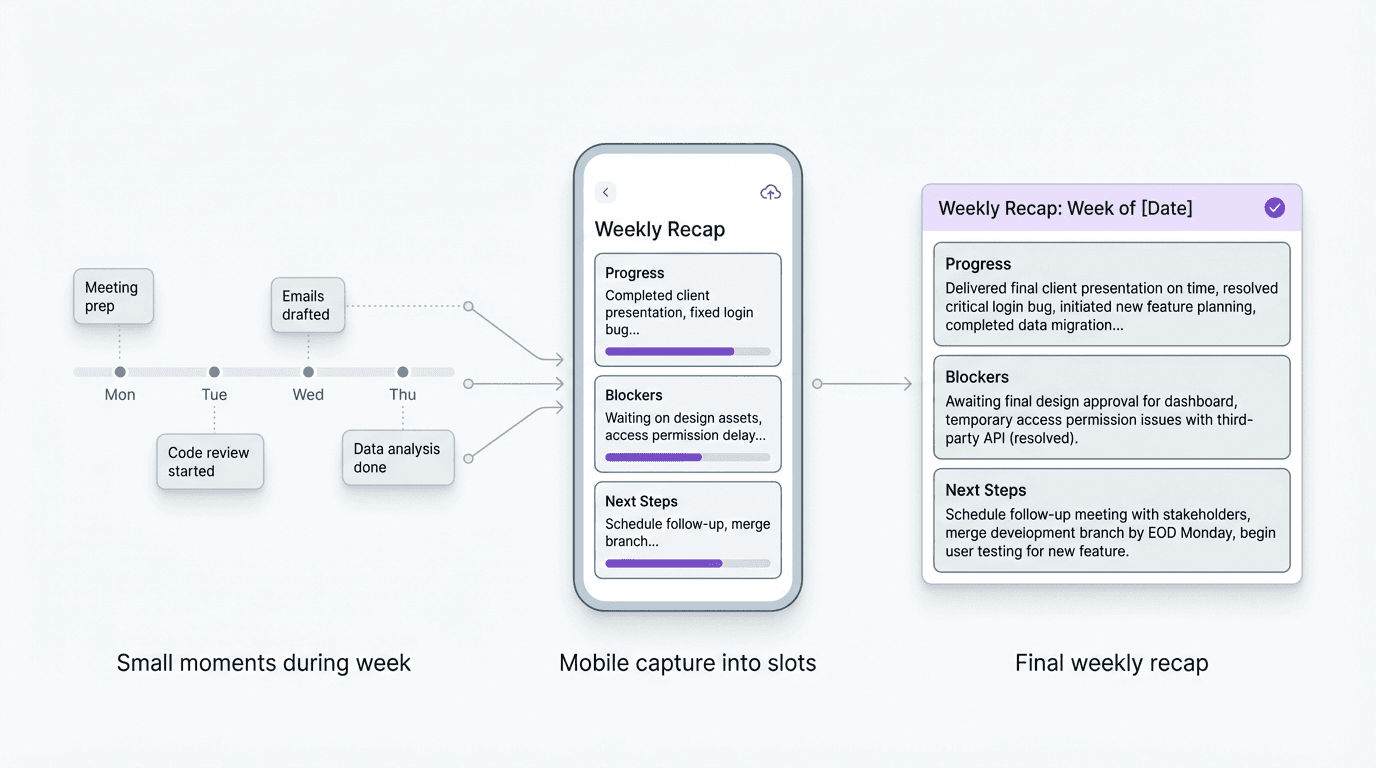
This kind of work is also naturally mobile-first. The source material for a weekly recap usually appears across the week in small moments, not in one tidy drafting session. Notes, decisions, progress markers, blockers, and loose observations often show up while you are moving. The better workflow is to collect those fragments in a format-aware way on your phone, then tighten the final version later if needed.
That is where FormaLM fits especially well. Weekly recap work is repetitive, but each week still needs a clean result. FormaLM is useful for exactly that kind of repeated content task where the structure should stay stable even when the inputs change.
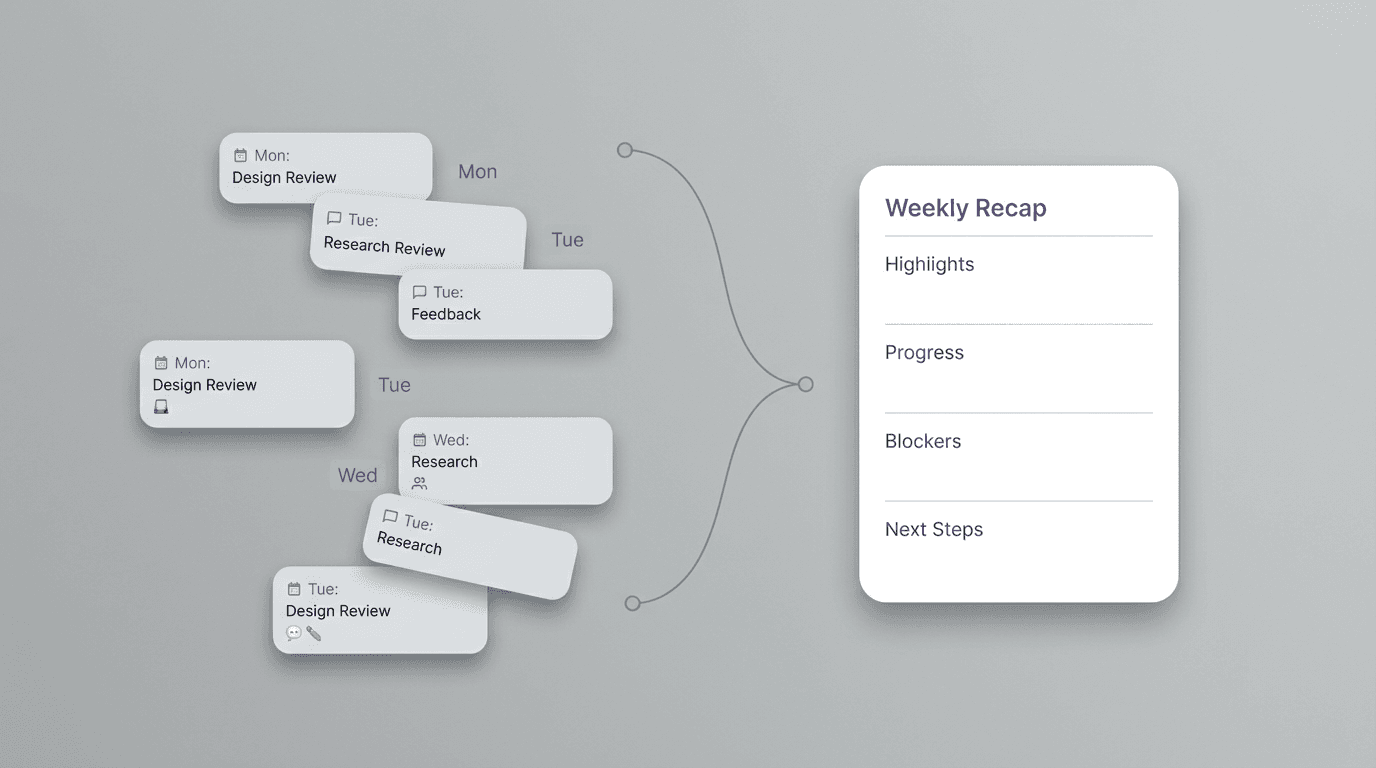
A weekly recap template is a repeatable format, not just a summary habit
People often think of weekly recaps as a discipline problem.
Be more organized. Keep better notes. Write the update before the week gets away from you.
That advice is not wrong, but it misses the more practical issue. The drag usually comes from format instability. If the recap has to be reinvented every week, the habit stays heavier than it should.
A strong weekly recap template fixes that by making the output predictable.
For teams, that means people know where to look for progress, blockers, decisions, and next steps. For individuals, it means reflection turns into something concrete enough to reuse, share upward, or use as a handoff into next week.
The template is useful because it keeps the structure stable while the content changes. That stability is what makes the weekly task repeatable.
What a useful weekly recap template should include
A weekly recap template should be short enough to fill consistently and structured enough to be worth reading.
For most teams and individuals, the core sections are:
- week or date range
- brief summary of the week
- main progress or wins
- key decisions or changes
- blockers or risks
- next priorities
Some versions also benefit from links, metrics, or asks, especially if the recap is being sent to a manager or shared across teams. But the main structure should stay lean.
The useful standard is not completeness. It is continuity.
The recap should let someone understand where things stand now and what carries into next week without needing the whole backstory reconstructed for them.
A weekly recap template for teams
For teams, the weekly recap usually works best when it is written as a compact alignment document.
Here is a practical version:
Week:
March 25 to March 29
Summary:
This week focused on stabilizing onboarding content before launch and closing the last cross-functional review loops.
Main progress:
- Finalized the onboarding flow copy for mobile and desktop
- Completed help center draft for the launch set
- Confirmed launch review timing with support and product
Key decisions or changes:
- Launch date stays unchanged
- Analytics naming will be simplified before release
- Support docs will ship in two phases instead of one
Blockers or risks:
- Legal review is still pending on one onboarding message
- Two screenshots still need final product approval
Next priorities:
- Close legal review
- Publish help center revision
- Prepare launch-day support handoff
This structure works because it helps the recap behave like a stable weekly checkpoint rather than a casual note dump.
It is especially useful when the same people need to scan these updates every week. The format becomes familiar, so the attention can stay on the content instead of the document shape.
A weekly recap template for individuals
Individual weekly recaps usually need a slightly different emphasis.
The point is often not broad team alignment. It is self-review, manager visibility, or preparing a cleaner start for the next week.
A good individual version might use:
That is enough structure to make the week legible without turning the exercise into journaling or performance theater.
The value of an individual weekly recap is not only reflection. It is reduction. It helps compress a busy week into a clearer current state, which makes planning easier and status communication lighter.
Why weekly recap work keeps feeling heavier than it should
This is where many recap systems break.
The task looks small because it repeats. But repeated tasks become expensive when the shape keeps drifting.
You collect fragments all week, then try to decide on Friday what counts as a highlight, what belongs under blockers, what still matters enough to mention, and how much explanation each item needs. None of those decisions is huge on its own. Together, they make the recurring task feel more open-ended than it should.
That is why weekly recap work often feels oddly disproportionate. The output is short, but the sorting cost is high.
A reusable weekly recap template reduces that hidden cost. It does not magically know what mattered in the week, but it gives each piece of information a likely home. That makes finishing easier.
Start building the recap during the week, not at the end
The best weekly recap workflow usually starts before recap time.
This is another reason the task fits mobile-first behavior so naturally. Weekly recap material tends to appear while you are moving through the week, not when you finally sit down to write.
The better move is to collect in the same structure you plan to use later:
- Drop a quick note when something meaningful moves.
- Save small decisions under a decisions or changes slot.
- Mark blockers when they happen instead of trying to remember them later.
- Add a rough next-week item as soon as it becomes visible.
By the time you actually draft the recap, the work is no longer starting from zero. The structure has already been accumulating.
That is where FormaLM becomes especially useful. Instead of forcing every weekly update to begin as another blank composition task, it helps repeated recap work stay format-led from the start, then turns the week's fragments into a cleaner finished version when you need it.
Keep wins, decisions, blockers, and next steps separate
One reason weekly recaps become vague is that different types of information get blended together.
But these are not interchangeable:
- wins show momentum
- decisions show what changed
- blockers show what may slow the work
- next steps show where the week is heading
When all of that gets collapsed into one paragraph or one bullet list, the update becomes harder to scan and harder to trust.
A stronger weekly recap template keeps those categories separate. That is useful for the reader, but it is also useful for the writer. It forces a clearer distinction between what happened, what matters now, and what should happen next.
That distinction is what makes the recap more usable week after week.
When a shorter weekly recap is the better template
Not every weekly recap needs multiple sections and full context.
Sometimes the best template is a lighter one that people can actually sustain.
A shorter version is often better when:
- the audience already knows the work well
- the recap is mainly for continuity, not explanation
- the same structure is used every week
- the goal is consistency over detail
In those cases, the right weekly recap template may only need four parts:
- what moved
- what changed
- what is blocked
- what is next
That can be enough.
The stronger choice is usually the one that preserves the habit without making the weekly output feel thin or rushed.
A simple weekly recap template you can reuse
If you want the most reusable base version, start here:
This version works for both team and individual use because it keeps the structure stable while leaving room for the tone and level of detail to change.
It is also a good foundation for recurrence. Once the format becomes familiar, weekly recap work stops feeling like a fresh writing task and starts feeling like a lighter editorial pass over material that already has a shape.
The best weekly recap template is the one that reduces weekly restart cost
People often look for a weekly recap template as if they are searching for the perfect wording.
Usually they are not.
They are looking for a way to stop rebuilding the same type of document every week.
That is the real value of the template. It reduces restart cost. It gives recurring update work a stable frame, helps the week accumulate toward a recap instead of collapsing into one late reconstruction session, and makes the final output easier to finish cleanly.
That is why weekly recap work fits FormaLM so well. It is repeated work, but not identical work. Each week still needs a result that feels considered, finished, and shareable. The format should stay steady. The content should not have to start from nothing.
That is the kind of content task where structure does the real saving.