
Introduction
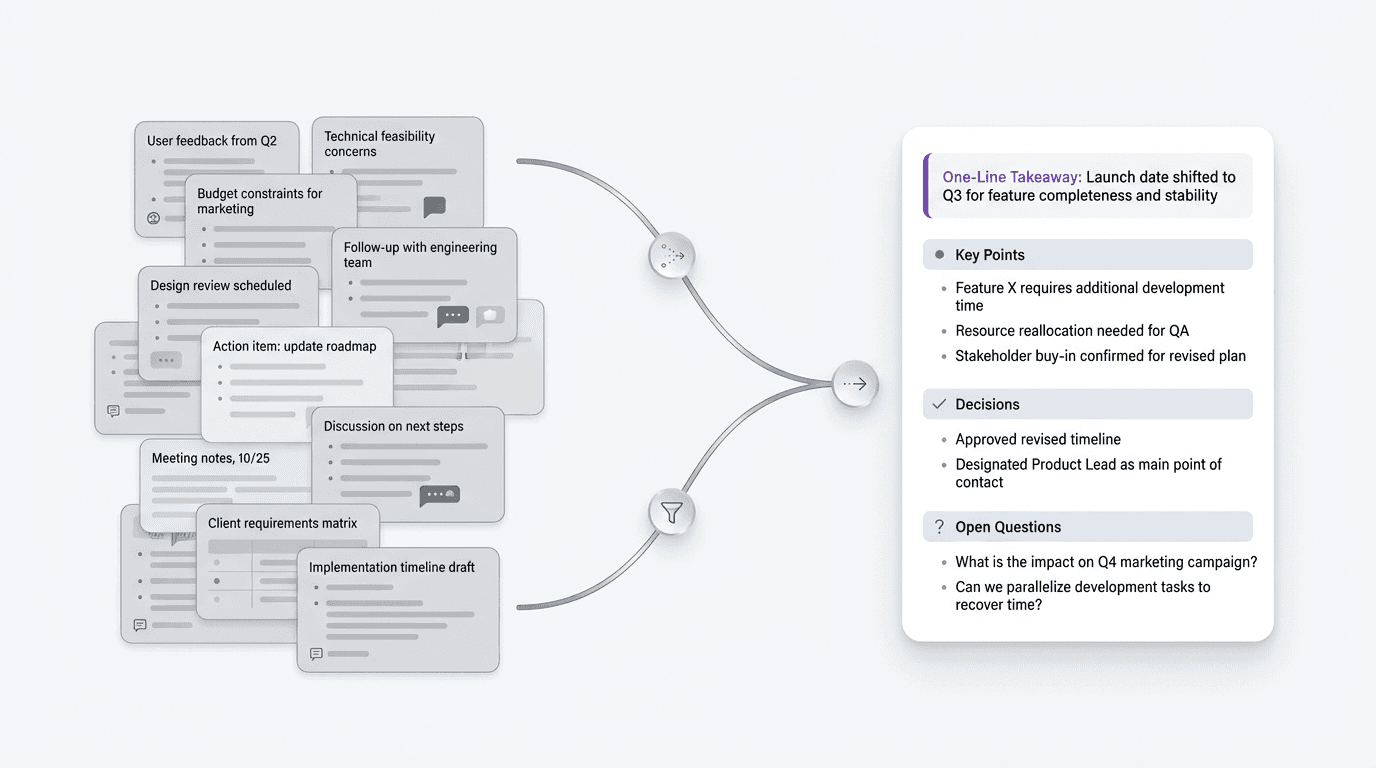
The template should answer one practical question: what will another person need when they return to this meeting later?
FormaLM fits this workflow when rough notes need to become a compact page rather than a full specification or transcript. It helps separate the takeaway, decisions, open questions, and next steps before the summary is shared.
A meeting summary template should optimize for return value
A meeting summary should help someone recover the point of the discussion, its conclusions, and the current state. Treating it as a cleaned-up archive preserves too much of the conversation and asks the next reader to do the compression again.
A strong meeting summary usually helps the reader answer a few simple questions:
- What was this meeting about?
- What matters from it now?
- What changed or became clearer?
- What still needs follow-up?
If the summary does those jobs well, the team can return to it quickly. If it tries to preserve everything equally, the document becomes heavier and less reusable.
A meeting summary template should be designed for the next read as well as the first capture.
What a useful meeting summary template should include
A practical meeting summary template is usually built around a compact set of sections:
- meeting topic and date
- one-line summary
- key points or takeaways
- decisions or conclusions
- open questions
- next steps, if needed
Some teams also benefit from a short context line or a link back to fuller notes. The summary itself should stay selective and reflect what the team is likely to need on the second or third read.
A reusable meeting summary template
Here is a practical meeting summary template for clearer team communication:
Meeting
Name the meeting clearly.
Date
Record when it happened.
One-line summary
Say in one sentence what the meeting was mainly about and what the current takeaway is.
Key points
List the main information the team should remember.
Decisions or conclusions
State what was decided, confirmed, or clarified.
Open questions
Note what still needs an answer.
Next steps
Only include these if they help complete the picture.
This format works because it gives the summary a stable center. The reader can reopen it later and recover the important logic of the meeting without digging through long notes or chat fragments.
A filled example of a compact meeting summary
An example makes the intended level of detail easier to judge.
Imagine a cross-functional meeting about revising onboarding copy before a product update.
Meeting
Onboarding copy review
Date
April 1
One-line summary
The team aligned on a simpler onboarding message, with one remaining question about technical wording.
Key points
- Users understand the value faster when the first screen focuses on the finished result.
- Current copy still sounds too setup-heavy.
- Design can support a shorter first message without layout changes.
Decisions or conclusions
- The first screen should emphasize outcome before instructions.
- Product and design agreed to remove one secondary paragraph.
- Support will review the new wording before publish.
Open questions
- Whether one technical term should stay for accuracy or be replaced with plainer language.
Next steps
- Rewrite the opening copy.
- Review the updated version with support.
- Finalize by Thursday.
This example leaves out most of the conversation. The team can still recover the point, decisions, open question, and follow-up without reading the full notes.
Why most meeting summaries become harder to revisit than they should
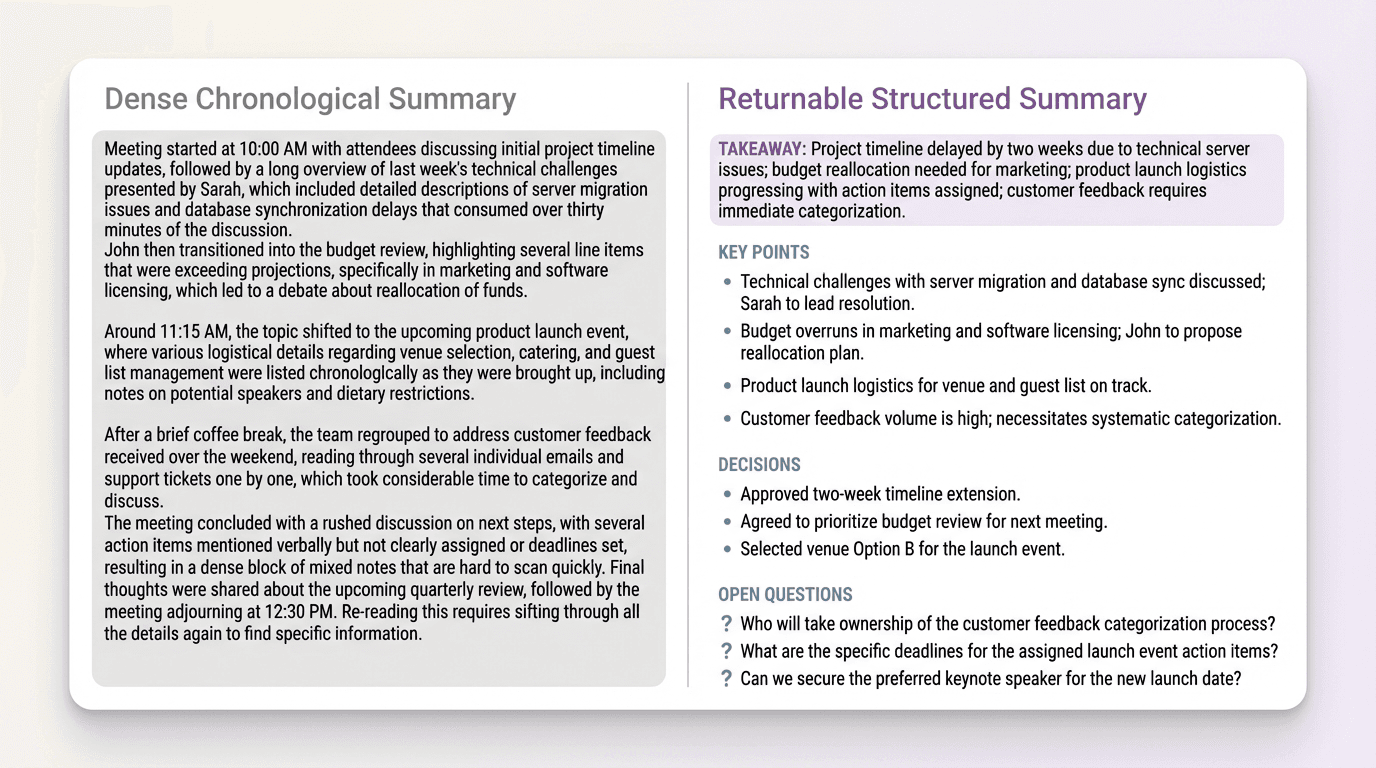
Most weak meeting summaries have a compression problem. They stay too close to the order of the conversation, keep explanatory filler, or mix conclusions with side comments and unfinished thoughts. The result may look thorough, but it creates extra work for the next reader.
That cost shows up when someone needs the summary under time pressure. They may be preparing a follow-up, checking a decision, or catching up after joining late. The document should keep the useful parts accessible without requiring a full reread.
Keep the summary compact enough that the team will reopen it
Once the meeting ends, there is a temptation to preserve every relevant point because it all still feels important. But importance in the meeting is not the same thing as importance in the summary.
A returnable summary should stay compact enough that a teammate can scan it in a minute or two and recover the state of the conversation. That usually means:
- pull out the main takeaway first
- separate key points from decisions
- remove background that does not change the current understanding
- keep open questions visible instead of buried
The template provides a boundary for what belongs, so the writer does not have to reconsider every line in an open document. FormaLM can then turn the selected material into a compact page that is ready to review and revisit.
A meeting summary is different from notes and different from action items
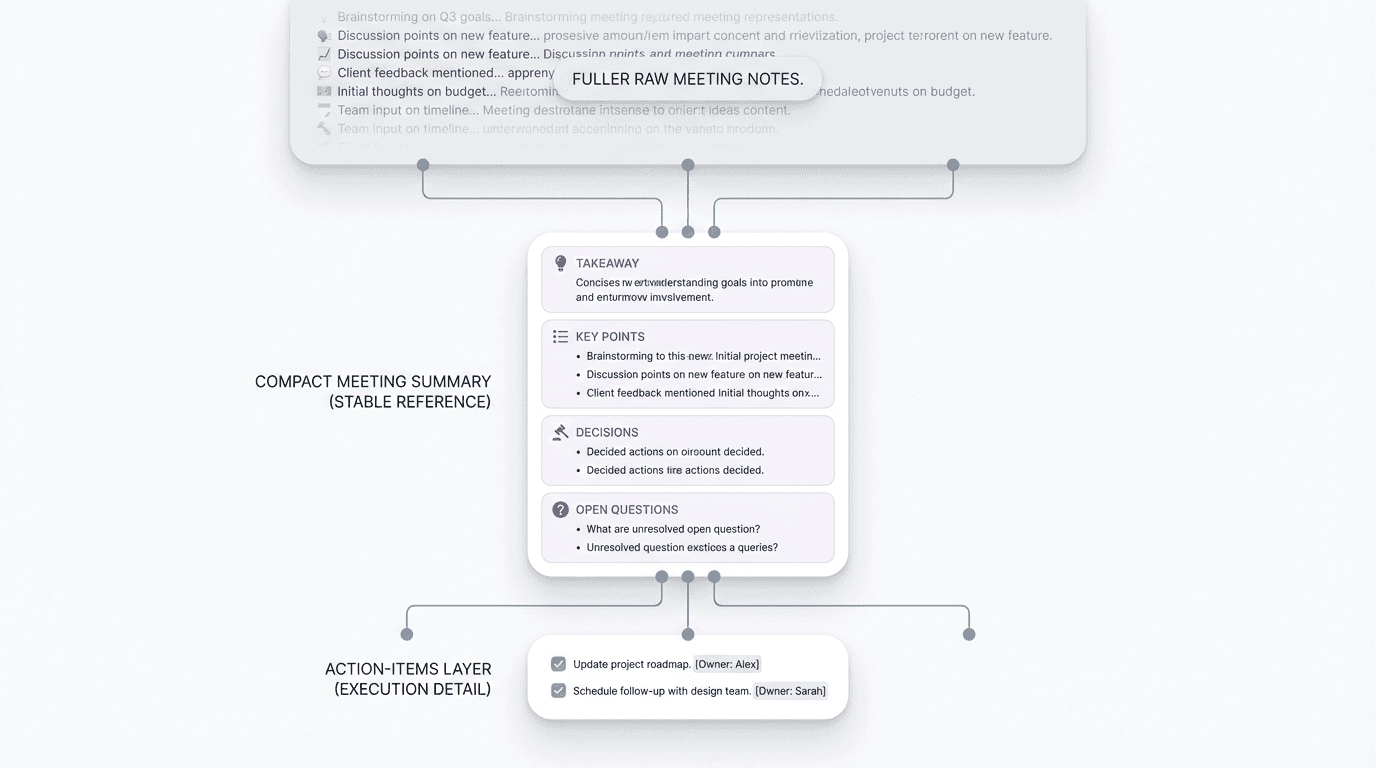
Meeting notes are often broader and more chronological. They are useful for capture. Meeting action items are narrower and more execution-oriented. They are useful for follow-through.
A meeting summary sits between them. It preserves the current understanding through key points, conclusions, and unresolved questions, while leaving detailed capture to the notes and execution details to the action list.
When a shorter meeting summary is better than a fuller one
A shorter summary often works better when:
- the same group already has access to the raw notes
- the meeting covered one main topic
- the summary will be reopened more often than it will be read deeply
- the team mainly needs orientation, not archival completeness
In those cases, a shorter summary gives the team a version worth returning to. It still needs a clear takeaway, visible decisions, and enough context to stand on its own.
What makes a meeting summary easy to return to
A meeting summary is easier to revisit when:
- the takeaway is visible near the top
- the document has a stable shape
- decisions are separated from background
- open questions are easy to spot
- the whole summary can be rescanned quickly
These choices lower the cost of reopening the document. The structure provides the orientation, so the team does not need to remember how the summary was written.
A simple meeting summary template you can reuse
If you want the lightest version, use this:
For many team summaries, that is enough. Keep the structure stable whether the document lives in a notes app, shared doc, or team workspace.
The best meeting summary template is the one the team will reuse
The best meeting summary template produces a document the team will reopen. It stays compact, keeps the important logic visible, and makes the conversation understandable without preserving every line.
FormaLM can shape meeting material into that kind of mid-length page, with enough structure to reuse and enough room for the team to make the final editorial decisions.