
Introduction
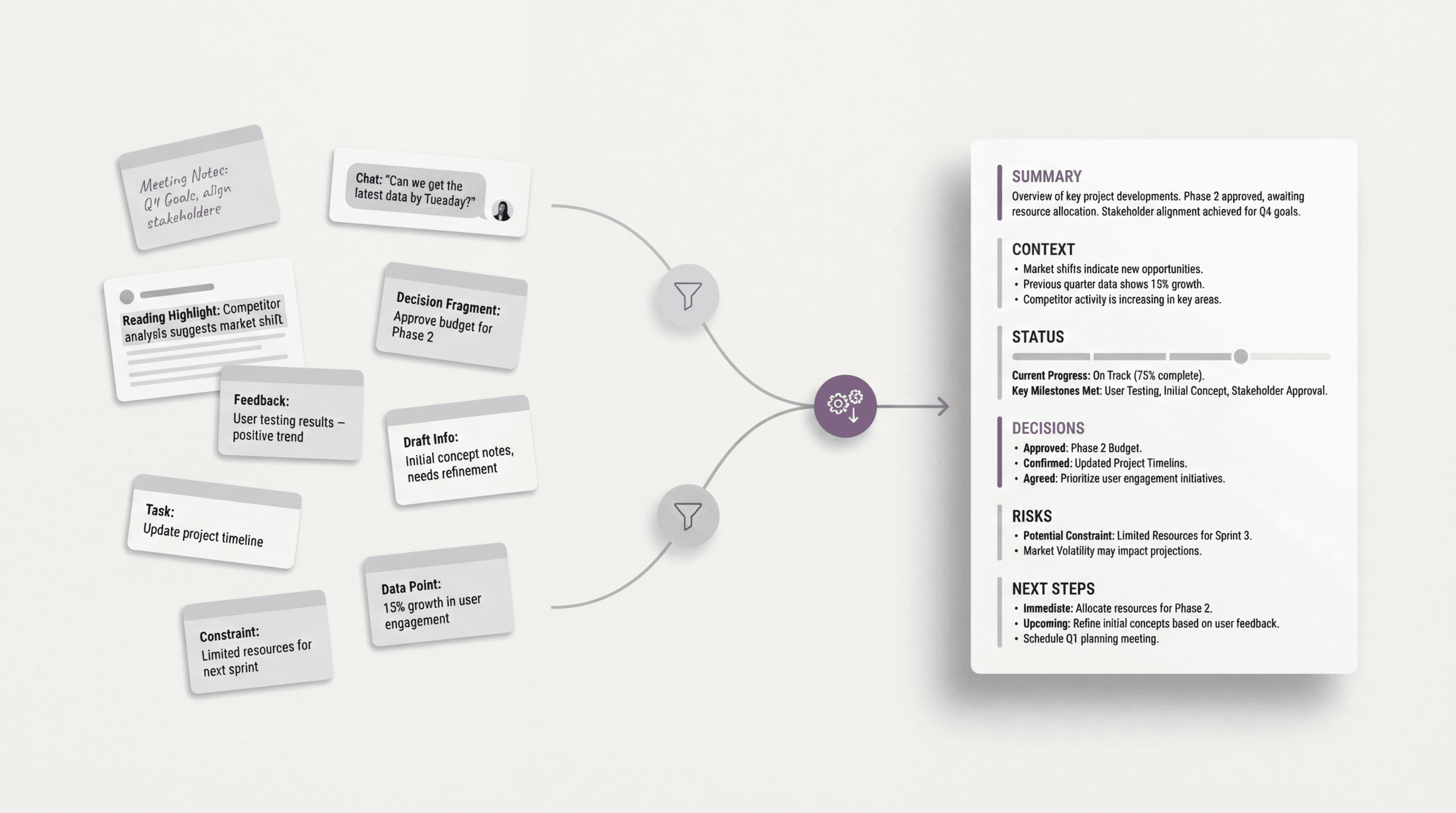
A good briefing page template helps because it gives that material a structure before the writing gets loose.
When the output is clearly a one-page briefing, start with its structure instead of a blank document. FormaLM helps shape rough project material into a finished page that another person can read quickly and share with confidence.
A briefing page template helps readers get oriented
Teams often use the word briefing loosely.
Sometimes it means summary. Sometimes it means memo. Sometimes it means one-page project update.
The most useful version is more specific than that.
A briefing page is a document that helps someone understand the current state of a project quickly enough to make a decision, give feedback, or stay aligned without reading everything behind it. That means the page is not doing the job of a full working doc. It is doing the job of orientation under time pressure.
That changes what the template should optimize for.
A useful briefing page should help the reader answer a small number of questions fast:
- What is this project or initiative?
- Why does it matter right now?
- What is the current state?
- What has been decided?
- What still needs attention?
- What happens next?
If the page makes those things clear, it becomes shareable. If not, people still need a meeting to explain the page that was meant to save the meeting.
What a useful briefing page template should include
A strong briefing page template is usually built around a small set of sections:
- title and one-line summary
- goal or purpose
- current status
- key context
- major decisions or changes
- open risks or questions
- next steps
- owners or timing, when relevant
Not every briefing page needs every section with equal weight.
But most successful ones do need this shape: what the project is, why it matters, what changed, what is unresolved, and what someone should do with the information.
The template provides that discipline.
The point is not to make the page feel formal. The point is to stop the page from becoming a compressed pile of unrelated updates. One-page formats work when each section earns its space and helps the reader move forward.
A reusable briefing page template
Here is a practical briefing page template for shareable project updates:
Title
Name the project or update clearly.
One-line summary
In one sentence, explain what this page is about and what changed.
Goal
What is the project trying to achieve, or what is the purpose of this update?
Current status
What stage is the work in right now?
Key context
What background does the reader need in order to interpret the update correctly?
Major decisions or updates
What changed, what was approved, or what became clearer since the last version?
Risks or open questions
What could block progress, or what still needs resolution?
Next steps
What should happen after this page is read?
Owner and timing
Who is driving the next move, and by when if timing matters?
This works because it gives the page a strong center. The reader gets purpose, state, movement, and next action without having to dig through a long note or full project doc.
A filled example of a one-page project briefing
The template becomes easier to use when the finished version is visible.
Imagine a product team preparing a shareable update on a new internal research summary workflow before a leadership review.
Title
Research summary workflow rollout briefing
One-line summary
The new workflow is ready for pilot rollout, with one remaining approval on the review step.
Goal
Make it faster for teams to turn rough research material into clean summaries with a more consistent structure.
Current status
Prototype tested, pilot plan drafted, rollout materials in review.
Key context
In this hypothetical brief, the team found that its existing summaries were too inconsistent in shape for easy cross-team reuse. The proposed workflow focuses on stable sections and a faster path from notes to finished output.
Major decisions or updates
- The pilot group will include product, design, and marketing.
- The workflow will start with a fixed summary format rather than open drafting.
- Review will happen in two passes instead of a longer collaborative editing loop.
Risks or open questions
- Final approval is still needed on the review checklist.
- Training materials need one shorter version for managers who only need the overview.
Next steps
- Finalize checklist approval.
- Prepare pilot onboarding note.
- Share the briefing page with leadership before Thursday's review.
Owner and timing
Product operations, by Thursday morning.
The example gives someone the current shape of the project without carrying its entire history.
Why briefing pages often stay vague even with a template
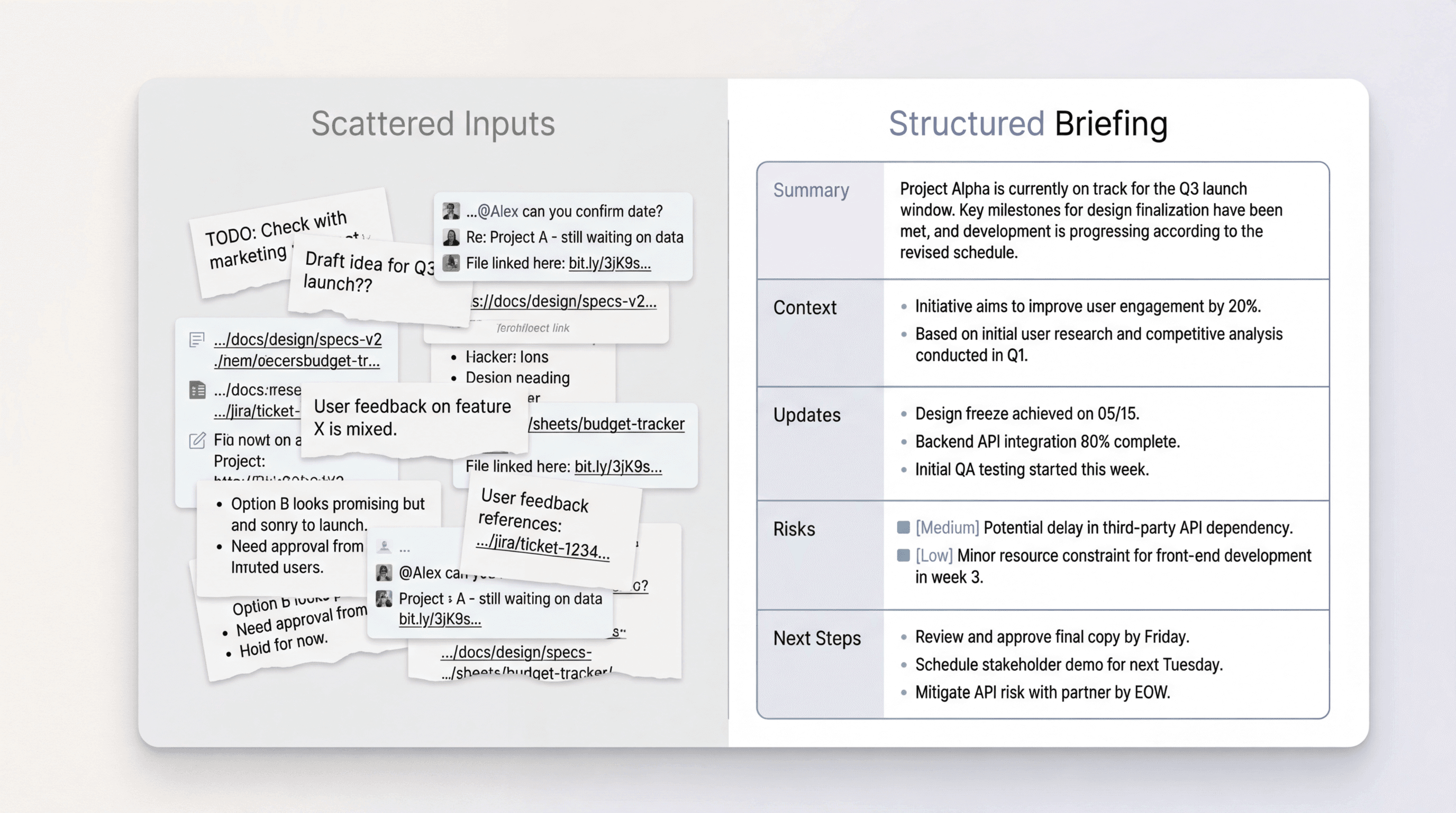
Briefing pages are often assembled from source material that was never created for one-page clarity. There are meeting notes with too much detail. There are chat threads with decisions hidden inside replies. There are comments from reading and research that matter, but only partly. There are open questions that still sound like brainstorming. When all of that gets poured into a single page too quickly, the result can look organized while still feeling hard to scan.
The page becomes shorter than the raw material, but not clearer.
Finishing the page requires deciding what belongs on it, what belongs behind it, what deserves one line, and what should become a next step instead of more context.
The sharper that selection gets, the more useful the page becomes.
Build the briefing page from accumulating material, not from a blank page
The materials for a briefing page usually appear before anyone decides to write the page. They show up in fragments:
- a useful line from a meeting
- a decision in chat
- a note from a customer or stakeholder conversation
- a conclusion from a doc or article someone read
- a risk that surfaces during review
Those fragments already belong to a structure, even if they do not look structured yet.
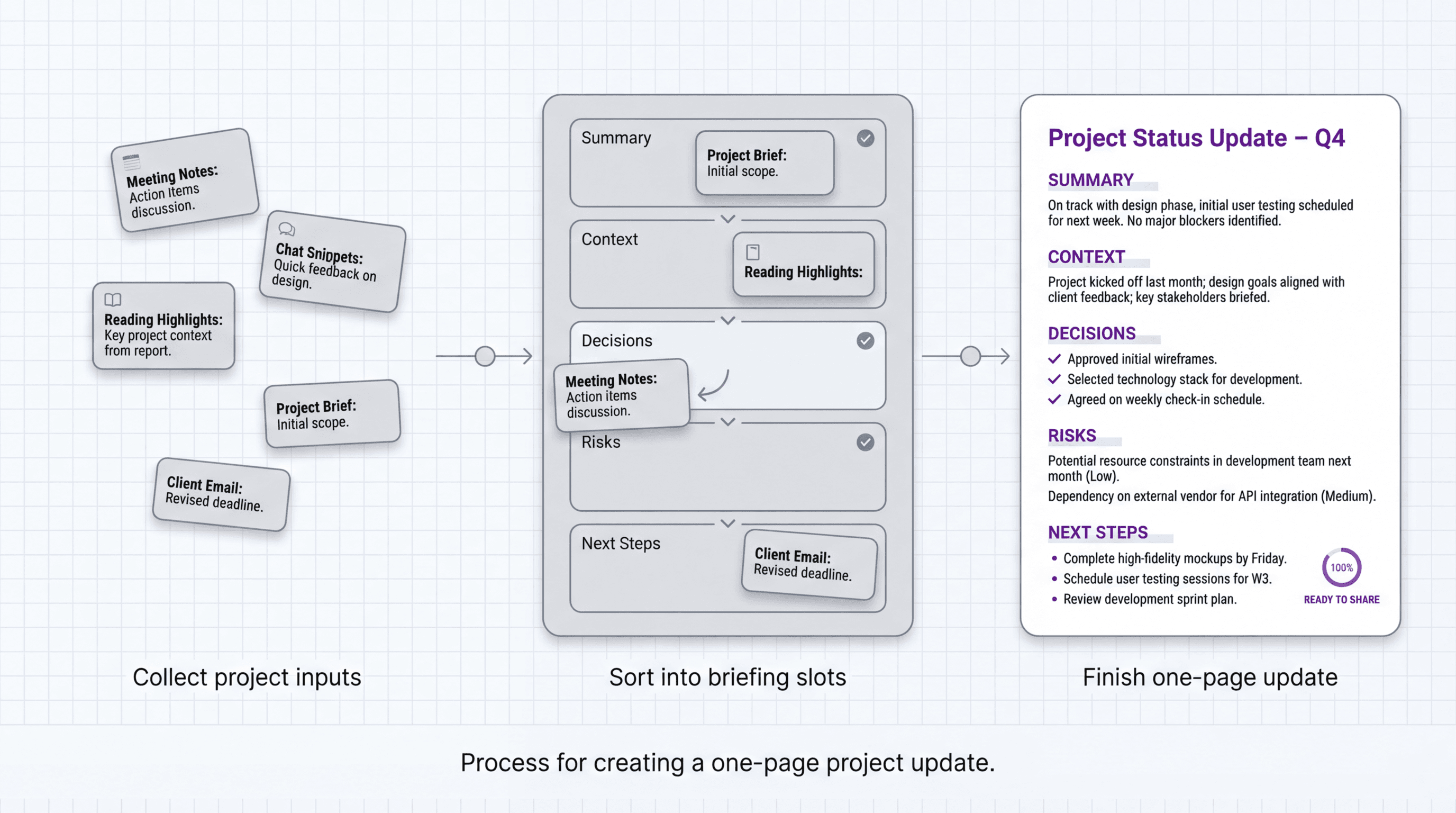
Collect those fragments against the briefing structure early. One note belongs under context. One belongs under decisions. Another belongs under risks. Another is really a next step.
Capturing the logic early is much easier than rebuilding it later from a blank document.
FormaLM provides that format, helping rough material settle into a composed page before the phrasing gets overworked.
What makes a briefing page useful to share
A briefing page is not shareable just because it is short.
It is shareable because someone else can pick it up quickly and know what to do with it.
The strongest briefing pages usually share a few traits:
- the point of the page is visible in the first screen
- status is stated directly instead of implied
- decisions are separated from background
- risks are visible before they become surprises
- next steps are concrete enough to act on
These sound simple, but they matter because briefing pages are often read in motion. Someone opens the page in between meetings, before a review, or inside a thread where several things are already competing for attention. If the page makes the reader work to find the point, it stops being a briefing and starts being another document to decode.
One-page project updates need firm structure because every section has to earn limited space.
When a briefing page is better than a deck or a longer status document
Not every update should become a briefing page.
But the one-page format is especially strong when:
- the reader needs orientation more than detail
- the update will be shared across teams or leadership
- the project has changed enough to need a reset in understanding
- there is supporting material elsewhere, but people still need one clean summary
In those cases, a briefing page can do a better job than a deck or long status memo because it reduces the cost of entry. It gives the reader a usable map before they decide whether deeper context is necessary.
The danger is not brevity.
The danger is false compression, where the page is technically one page but still asks the reader to infer too much. Keep the sections explicit and write the page for handoff rather than private note-taking.
A simple briefing page template you can reuse
If you want the lightest version, use this:
Most shareable project updates do not need more than that.
You can use it for initiative reviews, rollout updates, internal launches, project resets, stakeholder alignment, or handoffs between teams. The value comes from keeping the shape stable enough that the work goes into choosing what matters, not rebuilding the format each time.
The best briefing page template is the one that helps a project become legible fast
The value of a briefing page template is how quickly it makes a project legible to someone else. Give the update a one-page shape and start sorting material before the final drafting session.
FormaLM helps rough inputs settle into that structure without making the writer rediscover it each time. The result is a calm, complete page that is easy to share.